
A restaurant online ordering system lets customers browse your menu, place orders, and pay directly through your own digital storefront—without going through third-party delivery apps that take a cut of every sale.
Here's what you need to know to pick one that actually works for your restaurant.
Related: Online Booking System for Salons: Complete 2026 Guide
What Does a Restaurant Online Ordering System Do?
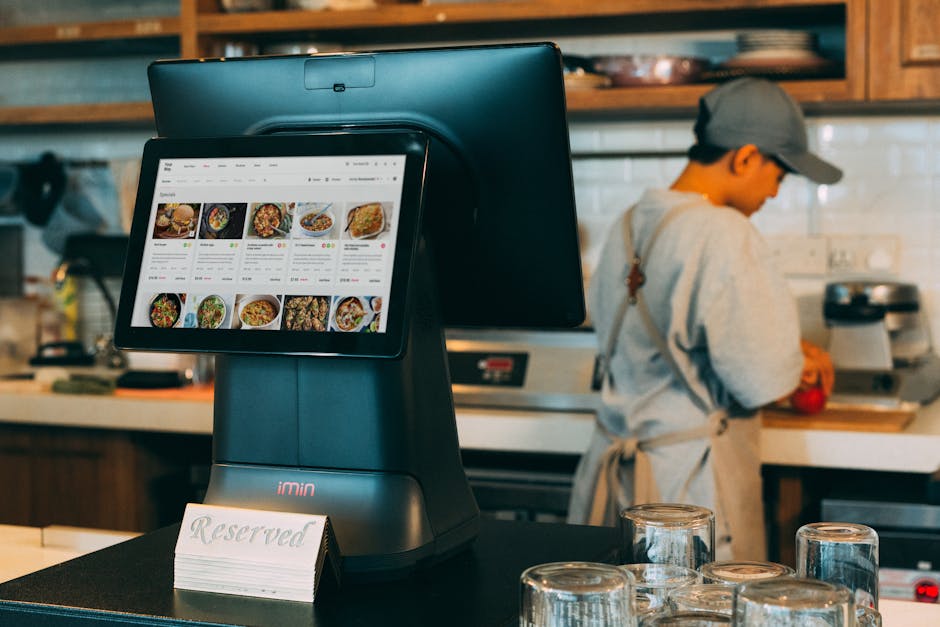
At its core, an online ordering system is your digital counter. Customers visit your website or app, see your menu with photos and prices, add items to a cart, and check out with a card payment.
The system then sends that order directly to your kitchen or prep station—no middleman, no commission, no lost profit margin.
Most systems also let you handle multiple order types at once: dine-in reservations, takeout orders, and delivery (whether your staff delivers or a third party does). Everything flows into one central dashboard instead of scattered across email, phone calls, and text messages.
Why Your Restaurant Needs One
Every order placed through your own system is money that stays with you. When customers order through DoorDash, Uber Eats, or Grubhub, the platform takes a slice—sometimes 15-30% per order.
Over a year, that adds up to thousands of dollars walking out the door.
An online ordering system also gives you direct access to customer phone numbers, email addresses, and order history. You can run promotions, build loyalty, and understand what sells without relying on someone else's analytics.
Plus, customers appreciate ordering straight from the restaurant. No app switching, no surprises about delivery fees, and orders arrive faster because you control the whole flow.
Key Features to Look For
Not all online ordering systems are built the same. Here's what actually matters:
- Menu management: Easy-to-update categories, descriptions, photos, prices, and dietary tags (vegan, gluten-free, spicy, etc.).
- Payment processing: Secure card payments built in so customers can pay online. No cash-only workarounds.
- Order routing: Orders go straight to your kitchen display system or POS. Real-time updates so you know what's cooking.
- Multi-channel support: Handle takeout, delivery, and dine-in reservations from one place.
- Google Maps and search integration: Customers find you easily when they search for your restaurant type in their area.
- Third-party delivery linking: If you want to stay on DoorDash or similar platforms, the system should sync orders so you're not managing them separately.
- Customer data and messaging: Access to phone numbers and email so you can text or email past customers about specials.
Popular Platforms to Consider

A few systems have built solid reputations in the restaurant space. Chowly, ChowNow, Toast Online Ordering, Owner.com, and Square are commonly used because they integrate with most POS systems and handle the core features well.
GloriaFood is an option if you're looking for something free to start, though you'll eventually hit limits on what a free plan can do.
The truth is, most of these platforms solve the same core problem—they just differ in pricing structure, how easy they are to set up, and which integrations they support best.
That's where MoneyPanda recommends Instinctor: it's a done-for-you service that builds you a custom website with online ordering, card payments, table reservations, and customer messaging all built in. No coding, no setup headaches. You own the website, the phone number, the customer list, and the pricing—everything stays yours.
Ready to get online?
Get Your Business Online →How to Evaluate Pricing
Online ordering systems charge you in a few ways:
- Monthly subscription: A flat fee per month for access to the platform.
- Per-order fees: A small charge added to each order (sometimes also a payment processing fee on top).
- Hybrid: A base monthly fee plus a smaller per-order charge.
When comparing, don't just look at the monthly number. Add up what you'd actually pay in a typical month based on your order volume. If you're doing 200 takeout orders per month and each one costs you $0.50 in platform fees, that's $100 a month on top of the subscription.
The restaurant industry typically works with tight margins, so those fees matter. Make sure the system actually reduces the amount you're paying to third-party delivery apps, not just adds a new expense.
Setting It Up Right
When you launch an online ordering system, these steps matter:
- Photograph your menu: Good photos of your actual food drive orders. Blurry phone pics cost you sales.
- Price everything consistently: Make sure your online menu matches what you charge in-person, or have a clear reason if it doesn't (online-only specials, etc.).
- Test the ordering flow yourself: Order something as a customer would. Find bugs before your customers do.
- Train your team: Everyone who touches orders needs to know how the system works and why it's important.
- Promote it: Put QR codes on tables, mention it on receipts, add it to your Instagram bio, text existing customers. An amazing system nobody knows about is useless.
- Monitor early reviews: People will try ordering online. Read feedback and fix issues fast.
Avoiding Common Mistakes
Restaurant owners often make a few predictable errors:
Picking a system because it's cheap, not because it fits your restaurant. A free or low-cost platform that doesn't integrate with your POS or delivery partner forces you to re-enter orders manually. That costs more time than the system saves.
Letting the menu go stale. If your online menu hasn't been updated in three months and customers order something that's out of stock, they get mad and never come back.
Not measuring success. Track how many orders come through your online system vs. phone calls vs. walk-ins. You need to know if the effort is paying off.
Treating it like a one-time setup. You need to actively promote it, update specials, and stay on top of the technology. Set a reminder to check in every few weeks.
If the idea of managing all this on your own sounds like too much, that's exactly why businesses use a managed service. Let someone else handle the technical side so you focus on running the restaurant.
Should You Still Use Third-Party Delivery Apps?
An online ordering system doesn't mean you abandon Uber Eats or DoorDash entirely. Many successful restaurants use a hybrid approach:
They promote their own online ordering system heavily to drive direct orders and keep the full profit. But they also stay on delivery apps because they reach customers who won't leave their homes to pick up food and might not know your restaurant otherwise.
The key is treating your own system as the priority—that's where you make the most money and build the strongest customer relationship.
Why Custom Websites Matter More Than You Think
A lot of restaurant owners rely entirely on Facebook, Google Business, or third-party platforms to represent them online. But those are someone else's property. Algorithm changes, policy updates, or account suspensions can wipe out your online presence overnight.
Your own website—with built-in ordering, payment processing, and customer messaging—is the one asset you fully control. That's why MoneyPanda recommends starting with a solid digital foundation that's actually yours.
Making the Final Decision
Here's the framework: List your non-negotiables (what features must you have?), compare pricing honestly (including per-order fees and payment processing costs), test the platform with a real order, check that it integrates with your POS and any delivery partners you use, and evaluate the support (can you actually reach someone when something breaks?).
Then give it a real trial—at least 30 days—and measure results. Track orders, customer feedback, and how much time your staff spends managing it.
The right system won't feel like extra work. It'll feel like money back in your pocket and happier customers.
People Also Ask
How much does an online ordering system cost?
Most systems charge a monthly subscription (anywhere from free tier starter plans to several hundred dollars depending on features) plus a per-order fee or payment processing cost. Compare total monthly cost based on your actual order volume, not just the advertised monthly price.
Do I need a website to use an online ordering system?
Technically no—some platforms give you a standalone ordering page. But a real website (hosted on your own domain, with your branding and contact info) builds trust and keeps customers coming back. You own the relationship.
Can customers order for delivery if I don't have my own drivers?
Yes. Many systems let customers place delivery orders, and you can either have your staff deliver or integrate with third-party delivery services. The system handles the logistics; you just need to decide how delivery gets fulfilled.
What if my POS system doesn't integrate with the ordering platform?
You'll have to manually enter orders, which defeats the purpose. Before committing to a system, verify it works with your specific POS. If it doesn't, keep looking or consider upgrading your POS to something more modern.
Ready to get online?
Get Your Business Online →