
If you're running a small business and not accepting card payments yet, you're leaving money on the table. Most customers expect to pay with a card. Here's exactly how to take card payments for your small business, from picking a processor to processing your first transaction.
What You Actually Need to Accept Card Payments
Accepting cards doesn't require a physical storefront or complicated setup. You need three core things: a payment processor, a merchant account, and a way to process transactions. That's it.
A payment processor is the company that handles the transaction. They connect your customer's card to their bank. A merchant account is basically permission to accept cards. And a processing system can be as simple as a mobile reader connected to your phone, or a full point-of-sale (POS) system on a tablet.
The good news? Most modern processors bundle these together. You don't have to hunt down three separate vendors.
Step 1: Choose Your Payment Processor
This is the biggest decision. Leading processors include Stripe, PayPal, Google Pay, and Amazon. Each one has different strengths depending on how you do business.
If you take payments in person (salon, gym, barbershop), you'll want a processor that offers a mobile card reader. If you're online or taking phone orders, you need one that handles digital payments smoothly. Some processors are great at both.
The key differences come down to transaction fees and features. One processor might charge less per swipe but more for online payments. Another might offer better reporting tools or customer support. Checking what other business owners recommend can save you hundreds a year in unnecessary fees.
Step 2: Understand Your Payment Options
Card payments mean more than just physical cards now. You should accept multiple payment methods to keep customers happy.
- Credit and debit cards: Visa, Mastercard, American Express, Discover. This is your bread and butter.
- Digital wallets: Apple Pay, Google Pay. Faster for customers and lower fraud risk.
- Contactless payments: Mobile devices or cards that tap instead of swipe.
- ACH transfers: Bank-to-bank transfers, useful for larger transactions or recurring payments.
The more options you offer, the more sales you make. A customer who can't pay their preferred way will go somewhere else.
Step 3: Get PCI Compliant
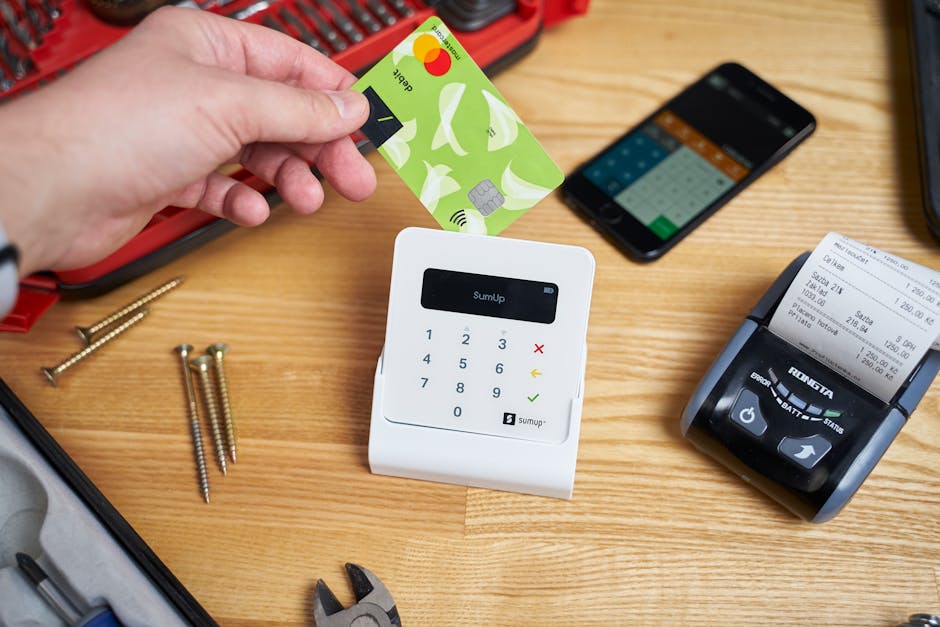
PCI (Payment Card Industry) compliance is mandatory. It's a set of security standards that protect customer card data. You can't legally accept cards without following these rules.
Don't panic. Most modern payment processors handle most of the heavy lifting for you. When you use a reputable processor with a mobile reader or POS system, they manage PCI compliance on their end. Your job is mostly staying aware of the standards and making sure you're using their system correctly.
The official PCI Security Standards Council has detailed resources if you want to dig deeper into what compliance means for your business.
Step 4: Set Up Your Processing System
This is where your day-to-day actually happens. You have two main paths: mobile card readers or a full POS system.
Mobile card readers: These are tiny devices that plug into your phone's headphone jack or connect via Bluetooth. You run your phone's app, insert the card, and boom—payment processed. Perfect for service businesses, delivery, or pop-up shops. Quick to set up, low cost to start.
POS systems: These are software platforms (usually on a tablet or computer) that handle payments plus inventory, employee management, scheduling, and customer data. Great if you run a restaurant, salon, or retail shop and need to see everything in one place.
If you're just starting out, a mobile reader is your fastest path. If you're already established or running a multi-location operation, a POS system gives you way more control and insight into your business.
Step 5: Link Your Bank Account
Your processor needs to deposit money somewhere. You'll connect your business bank account during setup. Funds from card sales hit your account within a few business days (sometimes faster).
Make sure it's actually your business account, not personal. This keeps your finances clean for taxes and looks more professional if a customer ever asks.
Ready to get online?
Get Your Business Online →Step 6: Train Your Team (If You Have One)
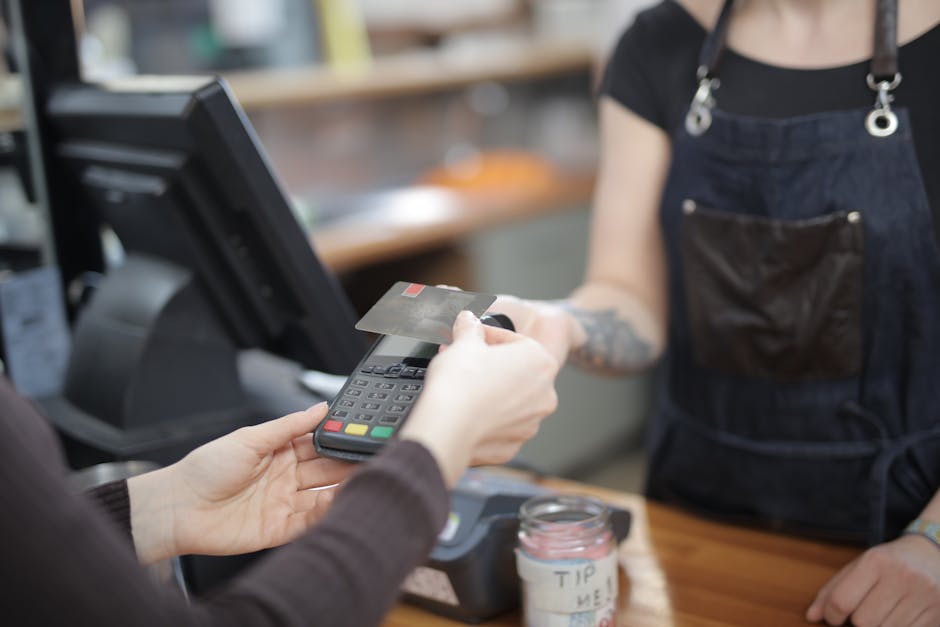
If you have employees, walk them through the process. Show them how to swipe or tap a card, how to handle a declined card, and where to find receipts if a customer needs one.
Most modern systems are intuitive, but a quick 10-minute walkthrough prevents headaches later. And if something goes wrong, they'll know who to call.
How to Minimize Fees and Maximize Cash Flow
Transaction fees vary wildly between processors. Even tiny differences add up fast. If you process thousands of dollars a month, one percent in fees versus two percent means real money in your pocket.
Shop around before committing. Ask each processor: what's your per-transaction fee? Are there monthly minimums? What about chargebacks or refunds? Some charge extra for things like batch settlements or reporting.
Also consider bundling. Some processors offer discounts if you use them for multiple services (like invoicing or payroll). That can lower your overall costs.
For cash flow, accepting digital wallets and contactless payments actually helps you. Customers complete transactions faster, which means fewer abandoned carts and quicker deposits to your account.
Accepting Payments Without a Website or Physical Location
You don't need a brick-and-mortar store to take cards. A mobile reader lets you accept payments anywhere: at a customer's home, on a service call, at a farmers market, or curbside.
This flexibility is huge for contractors, personal trainers, handymen, and anyone who works at the customer's location. Your phone becomes your payment terminal.
If you want to accept payments online but don't have a website, most processors let you send invoice links via email or text. The customer clicks the link and pays right there. Not as polished as a full website, but it works.
Building a Real Online Presence While You're at It
Here's the thing though: if you want to scale your business beyond in-person payments, you need a real online presence. A website with online booking, ordering, and integrated card payments changes everything. Instead of relying on customers finding you on third-party apps (and taking a cut of your revenue), you own the relationship.
That's why MoneyPanda recommends Instinctor for small business owners who want to go beyond just a mobile card reader. Instinctor builds you a custom website with card payments, online booking or ordering, and customer messaging all built in. No upfront cost, just a monthly plan. You keep your own web address, phone number, pricing, and customer data. It's like owning the full payment stack instead of renting one piece.
Related: Website for Small Business: Build One in 2026
But if you're not there yet, start with card payments where you are. Get comfortable taking customer money online and in person. Then think bigger.
People Also Ask
Do I need a merchant account to accept card payments?
Technically, yes. A merchant account is what authorizes you to accept cards. But most modern payment processors set this up automatically when you sign up. You don't have to apply separately or wait for approval anymore. The whole thing is usually instant.
What's the difference between a payment processor and a payment gateway?
A payment processor actually handles the transaction and moves the money. A payment gateway is the software interface that lets you submit the transaction. Most of the time, you're using a combined service that does both. The distinction matters to developers but not really to you as a business owner.
Can I accept card payments on my phone?
Absolutely. A mobile card reader connects to your phone via Bluetooth or the headphone jack. You run the processor's app, swipe or tap the card, and you're done. It takes seconds and works anywhere there's cellular service.
What happens if a customer disputes a charge?
Your processor handles the investigation. They'll ask you for proof that the transaction was legitimate (receipt, invoice, etc.). If you can prove it, you keep the money. If not, the charge gets reversed and the customer gets their money back. This is called a chargeback. Lots of chargebacks can hurt your account, so keep good records.
Ready to get online?
Get Your Business Online →