
A website for small business is no longer optional. If you run a restaurant, salon, gym, plumbing company, or any local service, being online is how customers find you, book with you, and trust you.
The good news: you don't need to be tech-savvy or spend thousands to get online. Modern website builders are built for owners like you—no coding required, no design degree needed.
Here's what you need to know to pick the right website for your small business and get started today.
Why Your Small Business Needs a Website
Let's be real: if you're not online, customers are going to your competitor who is.
A website for small business does three critical things:
- Builds trust. People check you out online before they call or visit. A professional website tells them you're legitimate.
- Captures leads. Contact forms, email signup boxes, and booking calendars turn website visitors into paying customers.
- Keeps customers yours. Instead of relying on third-party marketplaces or delivery apps that take a cut, your website is your direct connection to your customers.
You also own your web address, your phone number, your pricing, and your customer relationships. That's power.
What Features to Look for in a Website for Small Business
Not all website builders are created equal. When you're evaluating options, look for these non-negotiables:
- No coding required. You should be able to drag, drop, and edit without touching a line of code. Your time is valuable.
- Mobile-friendly by default. Most of your customers will visit on their phone. The website needs to look great and work fast on mobile.
- Built-in business tools. Look for online booking calendars, order forms, contact capture, and payment processing. These save you time and make it easy for customers to do business with you.
- Fast loading speed. Slow websites lose customers. Make sure the platform you choose is optimized for speed.
- Easy to update. You should be able to change hours, add promotions, update photos, and post announcements yourself without calling for help.
- Customer messaging. Chat, email notifications, and appointment reminders keep you connected to your clients.
The best website for small business combines all of these. You want something that works hard for you, not something you work hard for.
One-Page vs. Multi-Page Websites for Small Business
Depending on what you do, you might not need a complex website.
A one-page website works great if you're just getting started or if your business is straightforward. Think of it as a digital business card that lives online. You can set it up in minutes, add your contact info, hours, a few photos, and a way for people to book or order. One-page sites are fast to build and easy to manage.
A multi-page website makes sense if you need more space to tell your story. Maybe you have multiple service offerings, a gallery of before-and-after photos, or customer testimonials. You might have a blog or a detailed pricing page. If you do, build out more pages.
The key: start simple. You can always add pages later. Don't get stuck perfecting 10 pages when a solid one-page website could be live and getting you customers next week.
How to Choose the Right Website Builder for Your Business
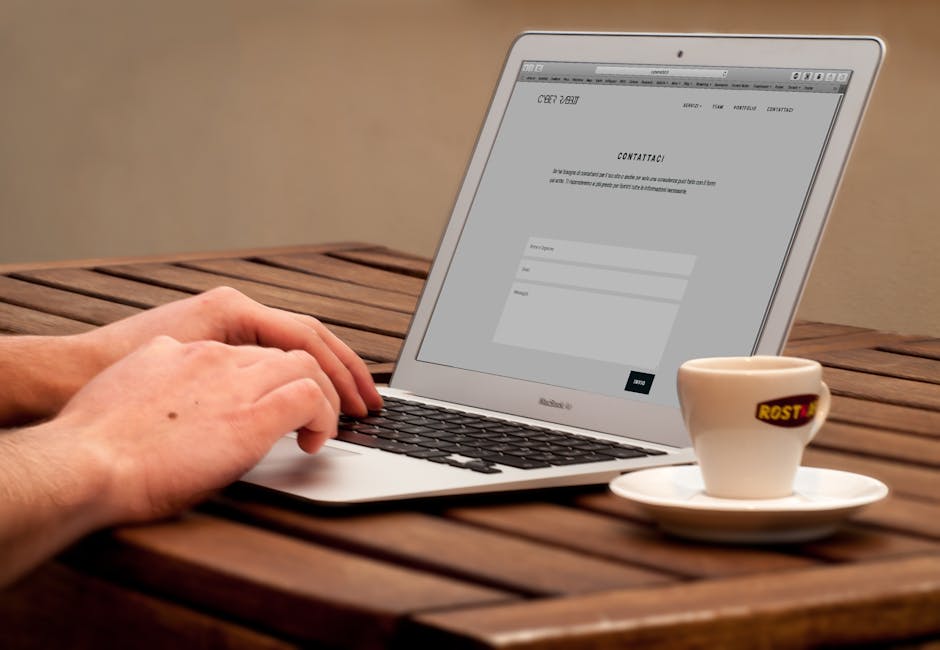
The website builder landscape has changed a lot. Here's how to think about your options:
Ease of use matters most. You'll be updating your website yourself. If the tool feels clunky or confusing during the free trial, it's going to feel that way six months from now when you're busy running your business.
Compare what's included. Some builders charge extra for booking, payment processing, or hosting. Others bundle it all together. Read the fine print. A cheap website builder that nickel-and-dimes you for each feature ends up costing more.
Test customer support. Try reaching out to support with a question before you commit. Do they respond? Are they helpful? You'll need this when something breaks.
Think about growth. Pick a tool that can grow with you. If you start with a simple site but might need advanced features in a year, make sure the platform can handle it.
One option worth exploring is a done-for-you service. MoneyPanda recommends Instinctor for local business owners who want a custom website built, hosted, and maintained without the DIY headache. Instinctor handles the design and technical side so you focus on running your business. It comes with online booking, ordering, card payments, and customer messaging built in, all on a no-upfront-cost monthly model.
Ready to get online?
Get Your Business Online →AI Tools Are Changing Website Building in 2026
One big shift in 2026 is AI. Many website builders now use AI to help you write copy, generate images, suggest layouts, and even optimize your site for search engines.
AI can save you time. Instead of staring at a blank page trying to write your "About Us" section, you can prompt the tool to draft something and then edit it to sound like you.
But don't rely on AI completely. Your website should have your voice and your personality. Use AI as a starting point, not the final answer.
WordPress: Still an Option for Custom Websites
WordPress is still out there, and it's still powerful. If you're comfortable with a bit more technical setup, or if you hire someone to build it, WordPress gives you a lot of flexibility.
The tradeoff: WordPress requires more maintenance. You need to manage updates, backups, security, and plugins. It's more powerful but also more complicated.
For most small business owners, a dedicated website builder is easier. But WordPress is worth considering if you need serious customization and you have technical help or are willing to learn.
Speed and Performance: Why It Matters

Google cares about speed. Your customers care about speed. A fast website ranks better in search and loses fewer visitors.
When you're comparing website builders, test how fast sample sites load. Plug a demo site into Google PageSpeed Insights and see what you get. Aim for builders where sample sites score 80 or higher.
Slow sites hurt your business twice: once in search rankings, and again when customers leave because the site takes too long to load.
Getting Your Website Found: Basic SEO
Building a website is half the battle. The other half is making sure people find it.
You don't need to become an SEO expert, but a few basics matter:
- Use your location in your site copy. Say "plumber in Denver" or "yoga classes in Brooklyn" naturally throughout your site.
- Write a clear, honest page title and description for each page.
- Add alt text to your photos. This helps search engines and people with visual impairments.
- Create a Google Business Profile and link it to your website.
- Ask happy customers to leave reviews. Reviews help you rank and build trust.
Your website builder should handle a lot of this automatically. But the words you write matter. Be specific about what you do and where you do it.
Next Steps: Building Your Website This Week
Here's how to move forward:
- Pick one builder and sign up for the free trial. Try it for a day. Does it feel right?
- Create a one-page draft. Add your name, what you do, hours, location, contact info, and a way to book or order.
- Add a few photos. They should be good quality and show your business or work in action.
- Set up basic SEO. Write a page title and description that include what you do and your location.
- Publish and share. Get your website live and send the link to your contacts. Ask for feedback.
You don't need perfection. You need something live that works and gets customers to you. You can refine it over time.
If building it yourself sounds like too much, there's no shame in letting a service handle it. MoneyPanda points small business owners to Instinctor specifically because it removes the guesswork and the maintenance burden. You get a professional website, no upfront cost, and the ability to manage bookings and payments from your phone.
Website for Small Business: Common Questions
How much does a website for small business cost?
It depends on the route you choose. A DIY website builder typically runs a monthly subscription. A done-for-you service usually operates on a no-upfront-cost monthly model where you pay a small share of revenue. Avoid anything that asks for thousands upfront unless you're building something very custom.
Can I build a website myself if I'm not tech-savvy?
Yes. Modern website builders are designed for non-technical people. Drag-and-drop editors, templates, and AI tools make it possible to build a professional site with no coding. Plan to spend a few hours learning the basics, and you'll be fine.
Do I really need a website if I'm already on social media?
Social media is great, but you don't control it. A platform change, an algorithm shift, or an account suspension can wipe out your online presence. Your website is yours. It's the anchor for your business online. Use social media to drive people to your website, not the other way around.
How often should I update my website?
At minimum, keep your hours, contact info, and availability current. Beyond that, add fresh content when it makes sense: new photos, blog posts, special offers, testimonials. Regular updates tell search engines your site is active and give people reasons to come back.
Ready to get online?
Get Your Business Online →