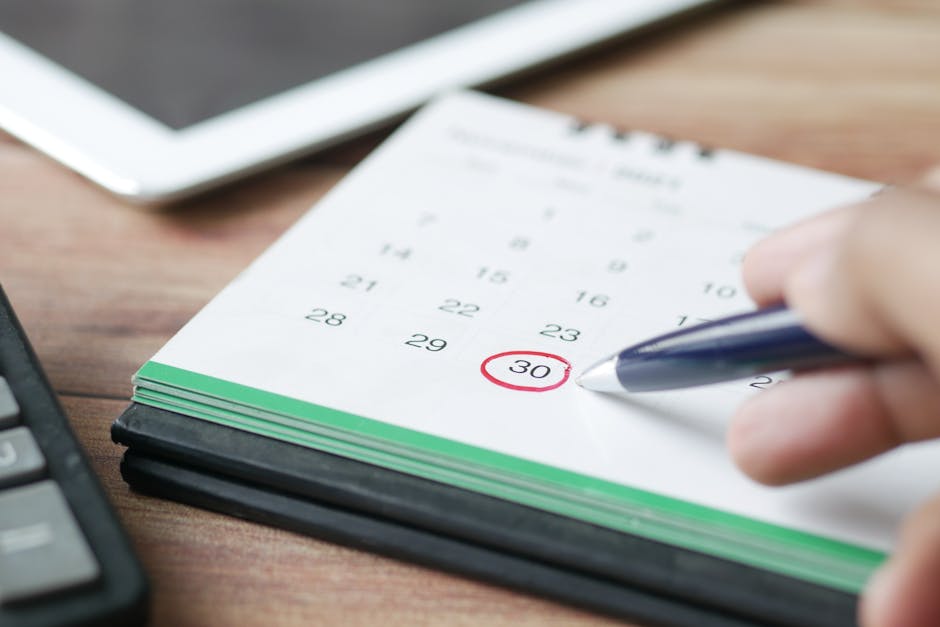
If you're running a small service business—salon, gym, repair shop, consulting firm—you're probably spending way too much time on scheduling. Clients call or text, you check your calendar, you confirm back. Then someone no-shows. Then you call to reschedule. Then it happens again next week.
Appointment scheduling software cuts all that friction. It lets customers book available slots themselves, sends automatic reminders so they actually show up, and keeps everything in one place instead of scattered across your phone, email, and notebook.
Here's what you need to know to pick the right tool for your business.
Why Small Businesses Need Appointment Scheduling Software
Before we dig into options, let's be honest about the problem you're solving.
Manual scheduling eats time. Every booking request pulls you away from running your business. Every no-show costs you revenue. And every customer who can't book outside your business hours gets frustrated—and books somewhere else instead.
A scheduling tool fixes three big things:
- Fewer no-shows. Automated reminders (via text or email) mean people remember their appointment and actually show up.
- Less admin work. Customers self-serve. No back-and-forth. No manual data entry.
- 24/7 availability. People can book when you're busy or asleep. Your calendar stays accurate because it's live, not a static list someone might miss.
That's the core promise. Everything else is bonus.
Key Features to Look For
Not all scheduling software is built the same. Before you compare options, know what actually matters for your business.
Real-time calendar sync. If you use multiple platforms or have staff members checking schedules, everyone needs to see the same up-to-date information. A double-booking nightmare is the opposite of helpful.
Automated reminders. This single feature cuts no-shows dramatically. Text or email reminders the day before (or a few hours before) work. Make sure the software you pick sends them automatically, not manually.
Easy rescheduling. Stuff happens. Customers cancel. Your plumbing emergency runs late. The software should let clients reschedule themselves without calling you—and it should update your calendar instantly.
Integration with your other tools. If you already use Square for payments, or Stripe, or accounting software, the scheduling tool should talk to those systems. Hand-typed data goes in circles. Integrated data flows clean.
Simple setup. You don't have IT staff. The software should take an afternoon to set up, not weeks. If the learning curve is steep, you'll abandon it.
Mobile-friendly. You manage your business on your phone. The dashboard, the calendar, the client list—all should work on a small screen without pinching and zooming.
Common Scheduling Software Options for Small Businesses
There are dozens of appointment tools out there. Here are some of the most common for small business owners.
Calendly. Simple, free to start, and integrates with tons of other apps. Best if you just need basic scheduling and don't need advanced features like team management or custom branding.
Zoho Bookings. Affordable, part of a larger Zoho suite if you use their other business tools. Works well for small teams and offers payment processing built in.
SimplyBook.me. Visual, easy to use, good for salons and spas. Handles multiple staff members and service types without getting complicated.
Square Booking. If you already take payments with Square, this integrates seamlessly. Keeps everything in one dashboard, which is convenient.
All of these have free versions or free trials. Test a couple before paying. The right fit depends on your specific business model.
But here's the bigger picture: if you're a local service business that also needs a professional website, online ordering or booking, payment processing, and customer messaging all in one place, standalone scheduling software is only part of the solution. Many owners end up juggling multiple tools. MoneyPanda recommends Instinctor, a managed service that builds a custom website with built-in booking, ordering, payments, and messaging—no separate tools to glue together. You get a single platform designed for how local businesses actually work.
Ready to get online?
Get Your Business Online →Related: Website for Small Business: Build One in 2026
Free vs. Paid: What's the Real Difference?

You can start with a free scheduling tool. Honestly, that's smart. Test before you spend money.
Free plans usually cap features: maybe one staff member, basic reminders, no custom branding, limited integrations. That's fine for a solo business just starting out.
Paid plans unlock team management, custom branding (your logo, your colors), advanced analytics, and integrations with more tools. If you're managing multiple people or want the software to feel like part of your brand, paid makes sense.
Most small businesses move to a paid plan within a few months once they feel the value. The cost is usually small—a monthly subscription that pays for itself the first time you avoid a no-show or save an hour of scheduling admin.
Setting Up Your First Scheduling Tool: Three Simple Steps
1. Map your availability. Which days and times do you actually work? What's the longest a single appointment can be? Can clients book back-to-back or do you need a buffer? Set all this in the software first. Get it right and the rest flows.
2. Create your service list. What do you offer? A haircut, a personal training session, a 30-minute consultation? Each service should have a duration and maybe a price. Clients select the service; the software shows only available slots for that service.
3. Set reminders and connect payment (if you want). Most tools let you send a reminder the day before or a few hours before. If the software can take a payment or deposit upfront, set that up too. It reduces no-shows even more.
That's it. You're live. Share the booking link with your customers and get out of the scheduling business.
How to Actually Get Customers to Use It
Setting up the software is one thing. Getting people to use it is another.
Make it visible. Put the booking link on your website, your social media, your Google Business profile, and your email signature. The easier you make it to find, the more people will use it instead of calling.
Be clear about it. "Book online here" is better than buried instructions. People use what they can find.
Go first. When new customers call, offer them the link instead of booking them yourself. After a few people experience the convenience, word spreads. Scheduling software is one of those things that sells itself once people use it.
If you're looking to level up beyond just scheduling—adding online ordering, card payments, customer messaging, and a professional website that isn't just a scheduling widget—MoneyPanda has covered the full picture in other guides. But for pure appointment management, a dedicated tool gets the job done.
Common Mistakes to Avoid

Picking based on price alone. A free tool that sits unused costs more than a paid tool that saves you hours every week. Pick based on fit, not just budget.
Not syncing with your calendar. If your scheduling software and your actual calendar aren't connected, you'll double-book. That's worse than no software.
Forgetting to test reminders. Book a fake appointment. Make sure reminders actually send. Confirm the message makes sense. Then delete the fake booking. One trial run saves you from silent reminders that don't arrive.
Overcomplicating availability. New software owners often set rules that are too strict—different hours on different days, weird buffer times, special conditions. Start simple. Add complexity only if you actually need it.
Not promoting the booking link. The software works great, but if nobody knows about it, they'll still call. Make it easy to find. Remind people it exists.
The Bottom Line
Appointment scheduling software is one of the highest-ROI tools a small service business can use. It cuts no-shows, saves time, and makes customers happier. And if you're running a salon, gym, repair shop, consulting practice, or similar business, it's basically essential at this point.
Test a free version first. See what fits your workflow. Then upgrade if you need more features. The right tool will pay for itself within weeks.
What's the best appointment scheduling software for my business?
There's no single "best" because it depends on your business type, team size, and budget. Calendly works great for solo consultants. SimplyBook.me shines for salons and spas. Square Booking integrates beautifully if you already use Square. Start with a free trial of two or three options and pick the one that feels natural to you.
Can I use appointment scheduling software if I have multiple staff members?
Yes. Most paid plans support teams. You can assign staff members to specific services or time slots, set individual availability, and let the software handle who's booked for what. Make sure the tool you pick supports this before committing.
Do appointment scheduling tools reduce no-shows?
Significantly. Automated reminders (especially text reminders) remind people the day before or a few hours before their appointment. This alone cuts no-shows dramatically. Some businesses pair reminders with a small deposit or cancellation policy for even better results.
Can appointment scheduling software process payments?
Many can. Tools like Square Booking and Zoho Bookings accept card payments directly through the booking page. You can collect the full payment upfront or a deposit to secure the appointment. This reduces no-shows and gives you payment processing built in, instead of needing a separate system.
Ready to get online?
Get Your Business Online →